Basic viewer and material switcher
Open the example · HTML source · JavaScript source
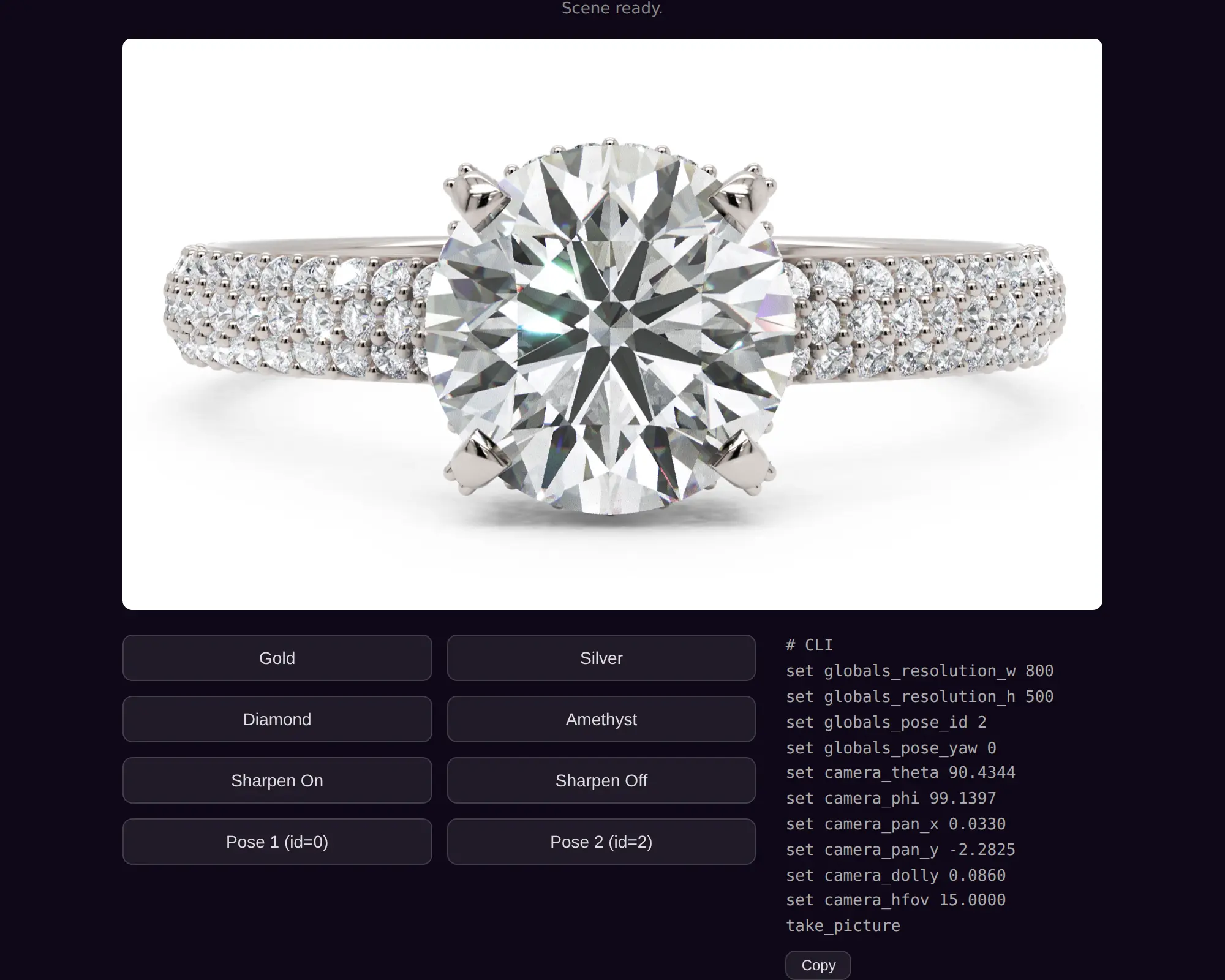
This is the best first project: a self-hosted SDK, one scene, material buttons, property controls, load feedback, and live camera values.
The HTML provides a canvas and loads the classic SDK before the application code:
<canvas id="canvas-viewer"></canvas>
<script src="./js/components/viewer/webex-viewer.js"></script>
<script src="./js/app.js"></script>
The application mounts the runtime, subscribes to semantic loading events, and then loads the scene. Keeping those phases separate makes initial progress observable through the public lifecycle events.
let viewer;

WebexViewer.mount({
  canvas: '#canvas-viewer',
  baseUrl: './js/components/viewer/',
  engine: 'webex-viewer-127990.js',
  apiKey: window.WEBEX_API_KEY,
  background: 'white'
}).then(async mounted => {
  viewer = mounted;
  viewer.on('load-progress', ({ percentage }) => {
    status.textContent = `Loading: ${Math.round(percentage)}%`;
  });
  await viewer.load(new URL('./scenes/scene.webex', location.href).href);
});
This hosted scratchpad pins its staging engine with engine:. Omit that option when you copy the example alongside release files, whose standard engine name is webex-viewer-engine.js.
Buttons call the SDK's task-oriented methods:
viewer.setMaterial('Metal 01', 'Yellow Gold 10k');
viewer.setProperty('::render_pipeline', 'render_pipeline_sharpen_enable', '1');
viewer.setProperty('::globals', 'globals_pose_id', '2');
The camera panel demonstrates asynchronous property reads. Prefer getProperty() when you need the returned value directly:
const theta = await viewer.getProperty('::camera', 'tracker_cam_theta');
Copy this example when you want full control and self-hosted runtime files. Copy the CDN version when you do not want to host the engine.